


PIM Implementation Challenges in Retail - How to Overcome Common Hurdles
Short answer: The four most common PIM implementation challenges in retail are poor product data quality, hard integrations with ERP, POS and eCommerce systems, teams that keep working in spreadsheets, and a setup that cannot keep up as the catalog and sales channels grow. Each one shows warning signs early, and each can be avoided with decisions you make before the build starts.
Updated November 2026
A retail PIM project rarely struggles because of the software alone. It struggles when supplier spreadsheets arrive in a different format from every supplier, when the ERP and the PIM both claim the same field, and when the merchandising team never stops using its old files. The PIM implementation challenges in retail are predictable, which means you can plan for them.
This post is for retailers with a large catalog who are about to start a PIM project, or are in one that has slowed down. It covers the four challenges, what each looks like in a retail business, and what to do about it. If you are looking for a team to run the project, see our PIM implementation services. For phases, roles and sequencing, read the PIM implementation plan.
Is This Your Situation? PIM Implementation Challenges Retailers Describe
- Our product data is not clean. Supplier files arrive as spreadsheets in different layouts, with missing attributes and duplicate SKUs, and someone fixes them by hand before every upload.
- Price and stock sit in the ERP, descriptions and images sit somewhere else. Nobody has decided which system owns which field, so the website and the stores show different product information.
- The catalog keeps growing and the tools do not keep up. Every new supplier, variant and sales channel adds manual work to each import and export.
- The seasonal range has to be live in weeks. Launches slip because sizes, colors and images for each variant are completed at the last minute.
- We have a PIM, but the team still works in spreadsheets. The system went live and the old way of working never stopped.
If two or more of these sound familiar, the four challenges below are the ones to plan for.
Why Retailers Take On a PIM Project
Implementing a PIM in retail offers clear benefits.
Related reading: PIM requirements, PIM data migration, and choosing a PIM partner.
In short, the benefits are:
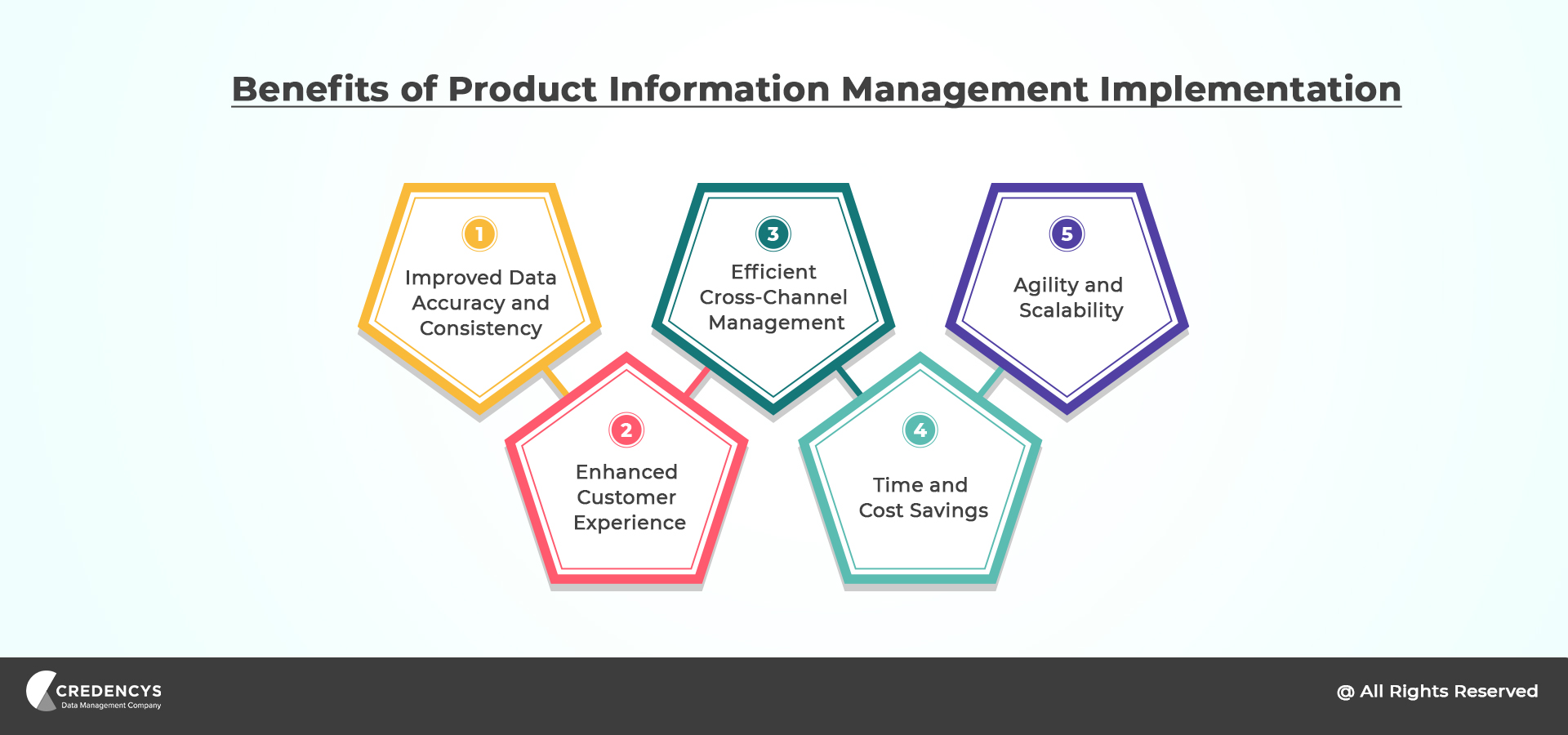
- Improved Data Accuracy and Consistency: A PIM system keeps product data accurate, up to date, and consistent across all channels.
- Enhanced Customer Experience: A PIM in retail helps retailers enrich product listings with high-quality images, detailed descriptions, specifications, and other relevant attributes.
- Efficient Cross-Channel Management: A PIM system provides a centralized repository for all product information, making it easier to manage and distribute across various channels.
- Time and Cost Savings: A PIM system automates many processes involved in managing product information, such as data entry, updates, and distribution.
- Agility and Scalability: A PIM system provides the flexibility to accommodate increasing data volumes, diverse product catalogs, and evolving business needs.
Those benefits only arrive if the project itself goes well. That is where the challenges below come in.

Ready to Get Your Product Data in Order?
The Four PIM Implementation Challenges in Retail and How to Avoid Each
The four PIM implementation challenges in retail are product data quality and governance, integration with ERP, POS and eCommerce systems, user adoption, and scalability as the catalog and channels grow. The table gives the short version. The sections after it take each challenge in turn: what it looks like in a retail business and what to do about it.
PIM Implementation Challenges in Retail at a Glance
| Challenge | What it looks like in retail | How to avoid it |
|---|---|---|
| Data quality and governance | Supplier spreadsheets in different layouts, missing attributes, duplicate SKUs | Clean the data before migration, set validation rules, name an owner for each product category |
| System integration | ERP or POS and the PIM disagree on price, stock or descriptions; data is re-keyed for each channel | Decide which system owns each field, then connect through APIs, middleware or pre-built connectors |
| User adoption | Merchandising and eCommerce teams keep their own spreadsheets after go-live | Involve users early, train by role, appoint internal champions, retire the old files |
| Scalability | Imports and exports slow down as SKUs, variants and sales channels grow | Choose a flexible platform and design the data model for variants and new channels from the start |
Challenge 1: Product Data Quality & Governance
Product data quality is usually the largest PIM implementation challenge in retail, because much of a retailer’s product data arrives from suppliers, often incomplete and in different layouts. The fix is to clean the data before migration, set validation rules in the PIM and name an owner for each product category.
Data quality is of paramount importance in a Product Information Management (PIM) system. High-quality product data ensures accuracy, consistency, and reliability across all channels, ultimately improving customer experiences and increasing sales.
Let’s explore the importance of data quality management in a PIM system, common data quality challenges, and strategies to overcome them.
In retail, most of this data does not start with you. It comes from suppliers and brands, each with its own spreadsheet layout, units and naming. Every variant (size, color, pack) needs its own complete record. Retail partners and marketplaces then check the data against their own requirements, often based on GS1 standards for product identifiers such as the GTIN.
Significance of Data Quality in a PIM System
Data quality directly affects a PIM system’s effectiveness. Inaccurate, incomplete, or inconsistent product data can cause issues such as customer dissatisfaction, reduced trust, and lower sales.
In contrast, high-quality data provides a solid foundation for delivering accurate, compelling product information across channels, improving customer experiences and protecting brand reputation.
Common Data Quality Challenges
Several challenges can hinder data quality in a PIM system. These challenges include:
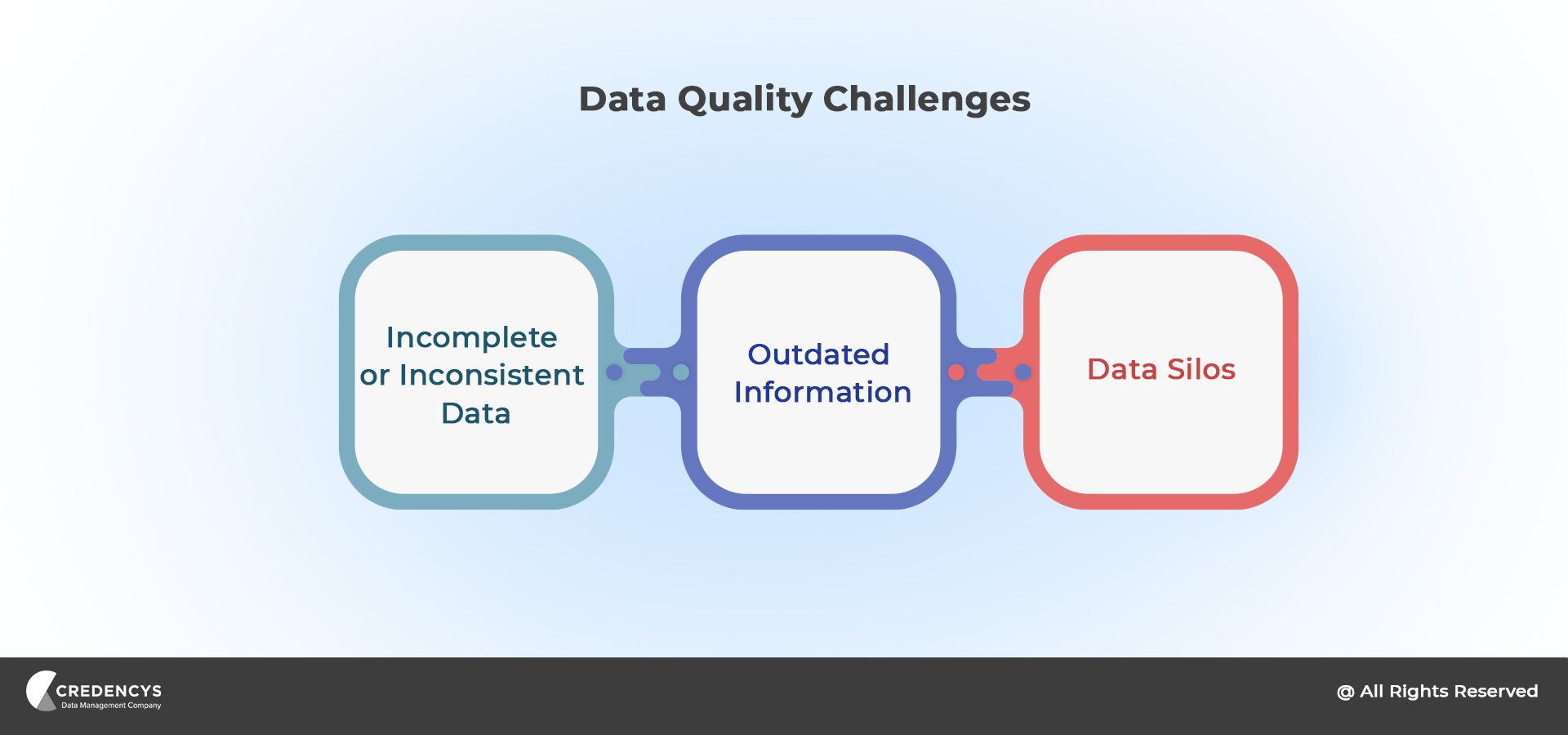
- Incomplete or Inconsistent Data: Incomplete product data, such as missing attributes or descriptions, can confuse customers and frustrate them. Similarly, inconsistent data, where the same attribute is recorded differently across products, can lead to discrepancies and inaccuracies.
- Outdated Information: As product information evolves, keeping data up to date becomes challenging. Outdated information can mislead customers and cause frustration. It may include discontinued products, pricing changes, or outdated specifications.
- Data Silos: Data silos occur when different departments or systems store and manage product data separately, leading to duplication, inconsistency, and difficulty synchronizing data. Silos can hamper the overall data quality and hinder a unified view of product information.
Strategies to Overcome Data Quality Challenges
To address this challenge, businesses need to establish clear data governance processes, define data validation rules, conduct regular data audits, and invest in data cleansing and enrichment. By ensuring high-quality data, retailers can enhance customer experiences and drive sales.
What this can look like: on a Syndigo project for a fashion retailer, the result was 70% better product data accuracy.
Ready to Overcome Data Quality Challenges?
Challenge 2: Integration with ERP, POS and eCommerce Systems
In a retail PIM implementation, the hardest part of integration is ownership. Price and stock normally come from the ERP or POS. Descriptions, images and attributes should come from the PIM. If the project does not write down which system owns which field, both get edited, and the website, the marketplaces and the stores drift apart.
Integrating a Product Information Management (PIM) system with existing enterprise systems, such as Enterprise Resource Planning (ERP), Customer Relationship Management (CRM), and eCommerce platforms, can be complex. Reliable integration is crucial to ensure efficient data synchronization, real-time updates, and a unified view of product information across systems.
Importance of System Integration
Smooth integration of a PIM system with existing systems is vital for several reasons:
- Data Synchronization: Integration enables product data synchronization across systems, ensuring consistency and accuracy. It allows information to flow cleanly between the PIM system, ERP, CRM, and eCommerce platforms, providing a unified view of product information.
- Real-Time Updates: Real-time integration ensures product data changes are reflected immediately across all systems. This is especially crucial for eCommerce platforms, where customers expect accurate and up-to-date information. Real-time updates help prevent discrepancies and improve customer trust and satisfaction.
- Operational Efficiency: Integrating systems simplifies processes, reduces manual data entry, and minimizes errors. It eliminates duplicate data entry, saving employees time and effort. A well-integrated system enables efficient data sharing, automates workflows, and supports cross-functional collaboration.
Complexities Associated with System Integration
Integrating a PIM system with existing systems involves dealing with various complexities, including:
- Data Structure and Format Differences: Different systems often have different data structures and formats, making it challenging to map and synchronize data accurately. Fields and attributes in one system may not align with those in another system, requiring careful mapping and transformation.
- Real-Time Data Synchronization: Maintaining real-time data synchronization between systems is critical to keeping product information up to date. Achieving real-time synchronization requires efficient communication channels, conflict handling, and prompt resolution of inconsistencies.
- APIs and Connectivity: Integrating systems often relies on Application Programming Interfaces (APIs) to exchange data. However, not all systems have well-documented or easily accessible APIs, which makes integration more challenging. In some cases, legacy systems may lack API support altogether.
- Middleware Compatibility: Integrating multiple systems may require middleware solutions that act as intermediaries. Ensuring compatibility between the PIM system, middleware, and other enterprise systems can be complex and requires careful planning and configuration.

Ready to Simplify System Integration and Keep Product Data in Sync?
Solutions to Overcome Integration Challenges
To overcome the complexities associated with system integration and compatibility, businesses can consider the following solutions:
- API Integrations: API integrations enable direct communication between systems, facilitating data exchange and synchronization. Using well-documented APIs from the PIM system and other enterprise systems can simplify integration. By using APIs, businesses can establish reliable connections and automate data flows.
- Middleware Solutions: Middleware can simplify integration by acting as an intermediary between systems with different data formats. Middleware platforms offer features like data mapping, transformation, and message routing, ensuring compatibility between the PIM system and other systems. Choosing a middleware solution that supports both the PIM system and existing systems can simplify integration.
- Pre-built Connectors: Some PIM systems and enterprise platforms offer pre-built connectors that facilitate system integration. These connectors provide out-of-the-box integration capabilities, reducing the need for custom development. Using pre-built connectors saves time, reduces complexity, and ensures smoother integration between the PIM system and other systems.
- Custom Development: When APIs or pre-built connectors aren’t available, you may need custom development. This involves developing custom code or scripts to enable data exchange and synchronization. Engaging experienced developers or working closely with integration experts can ensure successful custom integration.
Challenge 3: User Adoption & Change Management
User adoption is a PIM implementation challenge in retail because the people who have to change their habits are buyers, merchandisers and the eCommerce content team. They are busiest exactly when a new range launches. If PIM training lands in the middle of a seasonal launch, they go back to the spreadsheet that already works.
Implementing a Product Information Management (PIM) system significantly changes processes, workflows, and technologies within an organization. Addressing resistance to change and promoting user adoption are essential to ensure a successful PIM implementation.
Addressing Resistance to Change
Resistance to change is a common challenge encountered during PIM implementation. Employees may be accustomed to existing processes and may feel uncertain or skeptical about adopting a new system.
Addressing this resistance is crucial to a smooth implementation. Common reasons for resistance include fear of the unknown, lack of understanding about the benefits, and concerns about increased workload.
By acknowledging these concerns and addressing them proactively, organizations can overcome resistance and promote user adoption.
Importance of Involving Key Stakeholders & Fostering a Culture of Change
Involving key stakeholders from the outset is vital for successful change management and user adoption. Key stakeholders may include department heads, managers, and end-users directly impacted by the PIM system.
By involving them in decision-making and gathering their input, organizations can ensure their concerns are addressed, and their expertise is used. Fostering a culture of change within the organization, where employees embrace innovation and adapt to new technologies, creates a positive environment for PIM implementation.
Tips For Successful Change Management
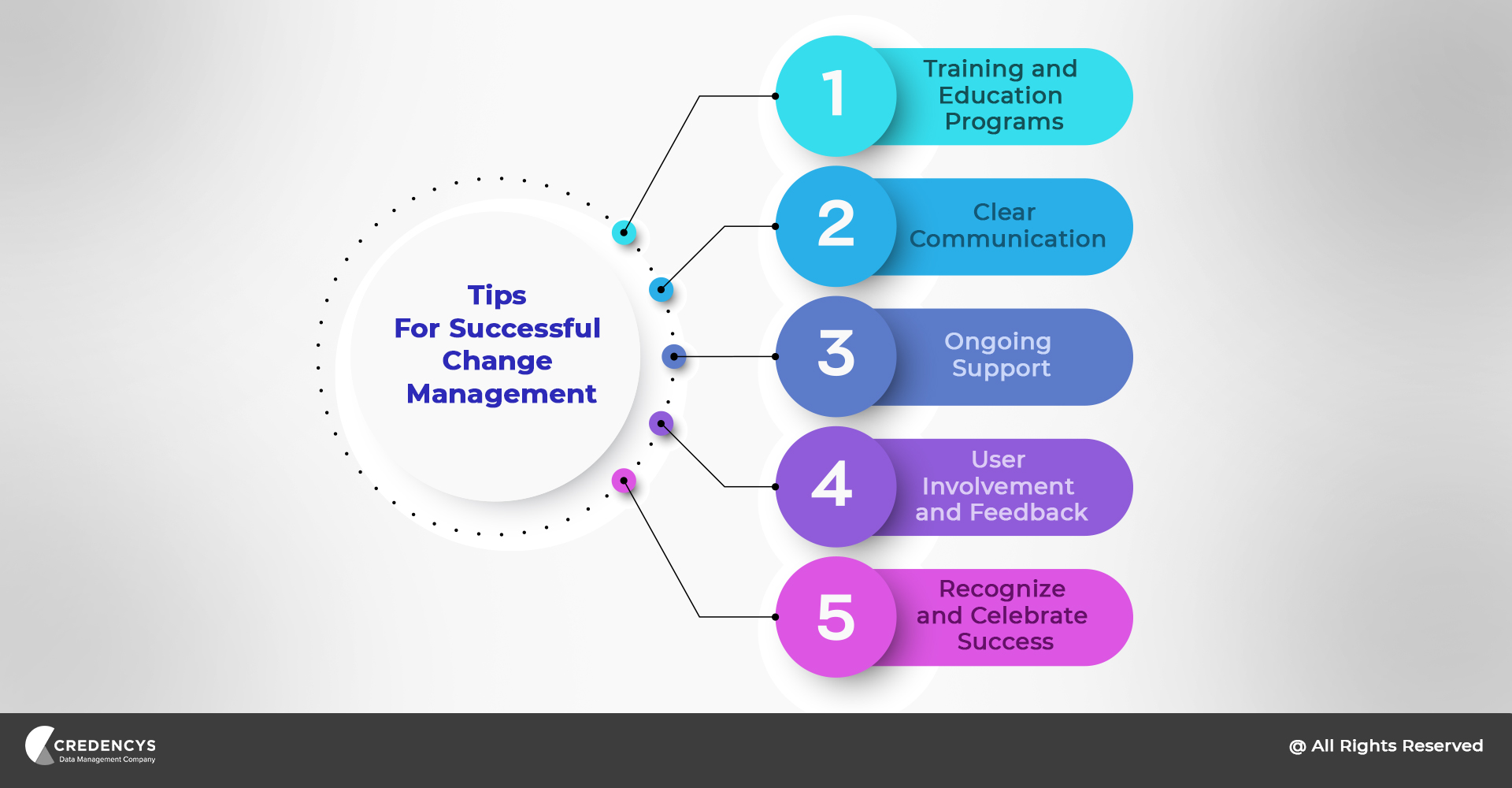
- Training and Education Programs: Comprehensive training programs are essential to equip employees with the necessary knowledge and skills to use the PIM system effectively. Tailor training to different user roles, and cover both technical aspects and practical use cases. Ongoing education programs can also help users stay up to date on new features and best practices.
Drive Successful Change Management & Ensure Smooth User Adoption in Your PIM Implementation
- Clear Communication: Effective communication is crucial throughout the implementation process. Communicate clear, consistent messaging about the PIM system’s benefits to all stakeholders. Regular updates, such as newsletters, town hall meetings, or intranet posts, help keep employees informed about progress and address concerns or questions.
- Ongoing Support: Ongoing support is essential for successful adoption. This can include dedicated support channels, such as help desks or support tickets, where users can get help and have their queries resolved promptly. Assigning internal champions or super-users to guide and support peers can also foster adoption and drive engagement.
- User Involvement and Feedback: Involving end-users in the implementation process and seeking their feedback is crucial. User feedback can offer valuable insights into areas for improvement, identify usability issues, and ensure the PIM system aligns with specific needs. Engaging users through focus groups, surveys, or user acceptance testing helps build ownership and commitment.
- Recognize and Celebrate Success: Celebrate milestones and successes throughout the implementation journey to reinforce positive behavior and motivate users. Recognizing and rewarding individuals or teams who actively participate in the implementation process and use the PIM system effectively encourages broader adoption and builds a positive culture around the new system.
Challenge 4: Scalability as the Catalog and Channels Grow
Scalability becomes a PIM implementation challenge in retail because growth rarely means only more SKUs. It means more variants per product, more images per variant, more suppliers sending data, and another marketplace or retail partner with its own template. Test the PIM with your real catalog size and your busiest import, not with a sample.
When implementing a Product Information Management (PIM) system, consider scalability and future-proofing. The retail industry is dynamic and continuously evolving, with growing product catalogs, expanding sales channels, and changing customer expectations.
Organizations need to anticipate these challenges and ensure that their PIM implementation can accommodate future growth and adapt to emerging trends.
Need for Scalability & Future-Proofing
Scalability refers to a PIM system’s ability to handle increasing data volumes, accommodate growing product catalogs, and support expanding sales channels. Future-proofing involves implementing solutions that can adapt to changing business needs, technologies, and market trends. Scalability and future-proofing are crucial for the following reasons:
- Accommodating Growth: As businesses expand and introduce new product lines or enter new markets, their product catalogs grow. A scalable PIM system can handle a larger volume of product data without compromising performance or data integrity. It allows organizations to accommodate growth without rework.
- Expanding Sales Channels: As digital channels proliferate, organizations need to support multichannel sales. A scalable PIM system ensures product information can be easily syndicated across sales channels, including eCommerce platforms, marketplaces, social media, and offline stores. It helps organizations reach customers effectively across different touchpoints.
- Changing Customer Expectations: Customer expectations evolve constantly. Organizations must adapt to changing customer needs by providing personalized, relevant, and engaging product experiences. A future-proof PIM system allows businesses to adapt their product information management strategies to meet evolving customer expectations and preferences.
Challenges Related to Scalability & Future-Proofing
Implementing a scalable and future-proof PIM system comes with its own set of challenges:
- Data Volume and Complexity: As product catalogs grow, product data volume and complexity increase. Managing large data volumes efficiently can strain system resources and affect performance. Handling complex relationships between products, attributes, and variants requires a solid and scalable PIM architecture.
Overcome Scalability Challenges & Future-Proof Your PIM Implementation
- Performance and Response Time: As you add more products and channels, the PIM system must deliver optimal performance and fast response times. Slow performance can hinder productivity, drive customer dissatisfaction, and hurt sales. Scalability and future-proofing help maintain high performance as the system grows.
- Integration with Third-Party Systems: Scalable PIM implementation often involves integrating with various third-party systems such as ERP, CRM, and eCommerce platforms. Reliable integration and data synchronization across these systems can be complex and require careful planning.

Solutions for Scalability & Future-Proofing
To address scalability and future-proofing challenges in PIM implementation, consider the following solutions:
- Selecting a Flexible PIM Platform: Choose a PIM platform that offers flexibility and scalability to accommodate growing product catalogs and changing business needs. Look for features such as sound data architecture, efficient indexing and search, and the ability to handle complex relationships between products and attributes.
- Considering Cloud-Based Solutions: Cloud-based PIM systems scale resources up or down based on demand. Cloud infrastructure offers elasticity, letting organizations handle peak loads and accommodate future growth without significant upfront hardware or infrastructure investments.
- Designing a Scalable Architecture: Develop a scalable PIM architecture by considering data storage, processing capabilities, and integration requirements. Implementing a distributed architecture that can handle increased data volumes and provide high availability ensures scalability and future-proofing.
- Embracing an API-First Approach: An API-first approach enables easier integration with other systems and future-proofs the system.
How to Get Ahead of PIM Implementation Challenges: Tips for Retail
Implementing a Product Information Management (PIM) system comes with its share of challenges. To ensure a successful implementation and maximize the benefits of PIM, organizations should follow best practices and consider the following actionable tips to overcome common implementation challenges:
- Define Clear Project Goals: Define your PIM implementation objectives clearly. Identify the specific pain points and business needs that the PIM system will address. Clear project goals provide direction, align stakeholders, and help measure implementation success.
- Involve Cross-Functional Teams: PIM implementation involves various departments and stakeholders across the organization. Involve cross-functional teams from the beginning, including representatives from marketing, sales, IT, product management, and customer support. This ensures the PIM system meets different departments’ needs and fosters buy-in and collaboration.
- Conduct Thorough Data Cleansing: Data quality is critical to a PIM system’s success. Before migrating data to the PIM system, thoroughly cleanse it. Identify and address data inconsistencies, duplicates, and inaccuracies. Establish data governance processes and implement data validation rules to maintain data quality and integrity.
- Plan for Data Migration and Integration: Develop a well-defined data migration strategy, including mapping data from existing systems to the PIM system. Consider the format, structure, and relationships between data fields. Plan system integration to ensure reliable data flow between the PIM system and other enterprise systems, such as ERP and CRM.
Don’t Let PIM Implementation Challenges Hinder Your Success
- Conduct User Acceptance Testing: Involve end users in testing to ensure the PIM system meets their requirements. Conduct comprehensive user acceptance testing to identify any usability issues, validate system functionalities, and gather feedback. Address user concerns and make necessary improvements before launching the system.
- Provide Comprehensive Training and Support: Offer comprehensive training programs to educate users about the PIM system’s features, functionality, and best practices. Tailor training sessions for different user roles and provide ongoing support through help desks, user forums, or dedicated support channels. Help users use the PIM system to its full potential.
- Establish Change Management Processes: Implement change management processes to address resistance to change and foster user adoption. Communicate the PIM system’s benefits and involve employees in decision-making. Develop a clear communication plan to keep stakeholders informed about implementation progress, challenges, and successes.
- Continuously Monitor and Optimize the System: PIM implementation is an ongoing process. Continuously monitor the system’s performance, data quality, and user feedback. Regularly review and optimize data governance processes, workflows, and system configurations to ensure optimal efficiency and address evolving business needs.
- Seek External Expertise: Consider partnering with external PIM implementation experts or consultants who have experience in successful PIM deployments. Their expertise can help you navigate challenges, apply best practices, and ensure a smooth implementation.
- Learn from Industry Case Studies and Best Practices: Stay informed about PIM implementation case studies and best practices. Learn from organizations that have successfully implemented PIM systems in retail. Understand their challenges, strategies, and lessons learned to gain insights and avoid common pitfalls.
What to Do If Your PIM Project Has Already Stalled
If you are reading this in the middle of a project that has slowed down, the same four areas tell you where to look:
- Check the data first: Take one product category and count how many products are complete enough to publish. If few are, the problem is the data, not the tool.
- Write down field ownership: List which system (ERP, POS, PIM, eCommerce platform) owns price, stock, descriptions, images and attributes. Fix the integrations to match the list.
- Ask what still happens in spreadsheets: Each spreadsheet that survived go-live points to a task the PIM does not yet do well for that team.
- Cut the scope: Get one category live on one sales channel, then extend. A small release that works rebuilds trust in the project.
How Credencys Helps with PIM Implementation Challenges in Retail
Credencys is a PIM consulting and implementation firm. We are a Pimcore Strategic Partner and a Syndigo and Semarchy partner, and we give independent advice on Akeneo, Salsify, inRiver and Stibo STEP.
The first step is a free 30-minute PIM assessment with a senior consultant. You leave with a view of your product data today, the platform that fits, and a rough roadmap and budget. If your project is already running, we use the call to find which of the four challenges is holding it up.
Closing Thoughts
A successful PIM implementation requires a deep understanding of the challenges involved and a proactive approach to address them. By applying the strategies, best practices, and tips in this blog post, organizations can navigate common hurdles and ensure a successful PIM implementation.
Every organization’s PIM implementation journey is unique, so tailor these strategies to your specific needs and requirements.
By staying informed, adapting to change, and continuously optimizing your PIM system, you can stay competitive in retail and reap the benefits of effective product information management. For more on planning, platforms and product data, see all our PIM resources.
PIM Implementation Challenges in Retail: Frequently Asked Questions
What PIM implementation challenges come up most often in retail?
The four PIM implementation challenges that come up most often in retail are product data that is incomplete or inconsistent, integration with the ERP, POS and eCommerce platform, low user adoption, and a setup that struggles as the catalog and sales channels grow. In retail the first is usually the largest, because so much product data comes from suppliers.
Why do PIM projects fail?
PIM projects usually fail for reasons outside the software: data migrated without cleaning, no agreed owner for product data, integrations planned late, and users left out until training. Our post on PIM challenges in manufacturing goes through the common reasons one by one.
How long does a PIM implementation take?
A focused first release typically takes 3 to 6 months; larger programs run in phases over 6 to 12 months or more. The time depends on the number of products, the state of the data, the number of systems to connect and how many sales channels go live first. A first release limited to one category or one channel is quicker than a full roll-out. The PIM implementation plan breaks the work into phases.
What should be included in a PIM implementation project scope?
The product categories and sales channels in the first release, the data model (attributes, variants, categories), data cleansing and migration, integrations with the ERP, the eCommerce platform and other systems, workflows and user roles, training, and support after go-live. Say what is out of scope too.
What questions should you ask before starting a PIM implementation?
Who owns product data today? Where does each piece of product information come from? Which sales channels must be live first? How clean is the data? Who will use the PIM every day? The PIM requirements checklist covers the rest.
Should we implement a PIM ourselves or use a partner?
An in-house team can implement a PIM if it has people who have built a product data model and integrations before, and time away from daily work. A partner brings that experience and a method. A common split is a partner for the first release and the in-house team afterwards. See how to choose a PIM implementation partner.
How do you get teams to use the PIM after go-live?
Make the PIM the only route to publish product information, train each role on its own tasks, name a champion in each team, and retire the old spreadsheets once a category is live.
What are the warning signs of PIM implementation challenges in retail?
Four signs show that a retail PIM project is running into trouble: supplier files are still fixed by hand before each import, the ERP and the PIM are both edited for the same field, teams publish from spreadsheets after go-live, and imports slow down as variants and sales channels are added. Each sign points to one of the four challenges: data quality, integration, user adoption and scalability.
Which PIM platform helps most with implementation time and user adoption?
No PIM platform guarantees a short implementation or good user adoption on its own. Implementation time depends mostly on how clean the product data is, how many systems must connect and how much the first release covers; adoption depends on simple screens for each role, training, and retiring the old spreadsheets. The Credencys PIM platform comparison matrix rates ten platforms, including Pimcore, Syndigo, Akeneo and Salsify, on time to first release and ease of use for business users.






Tags: